1
Enable Unknown Sources
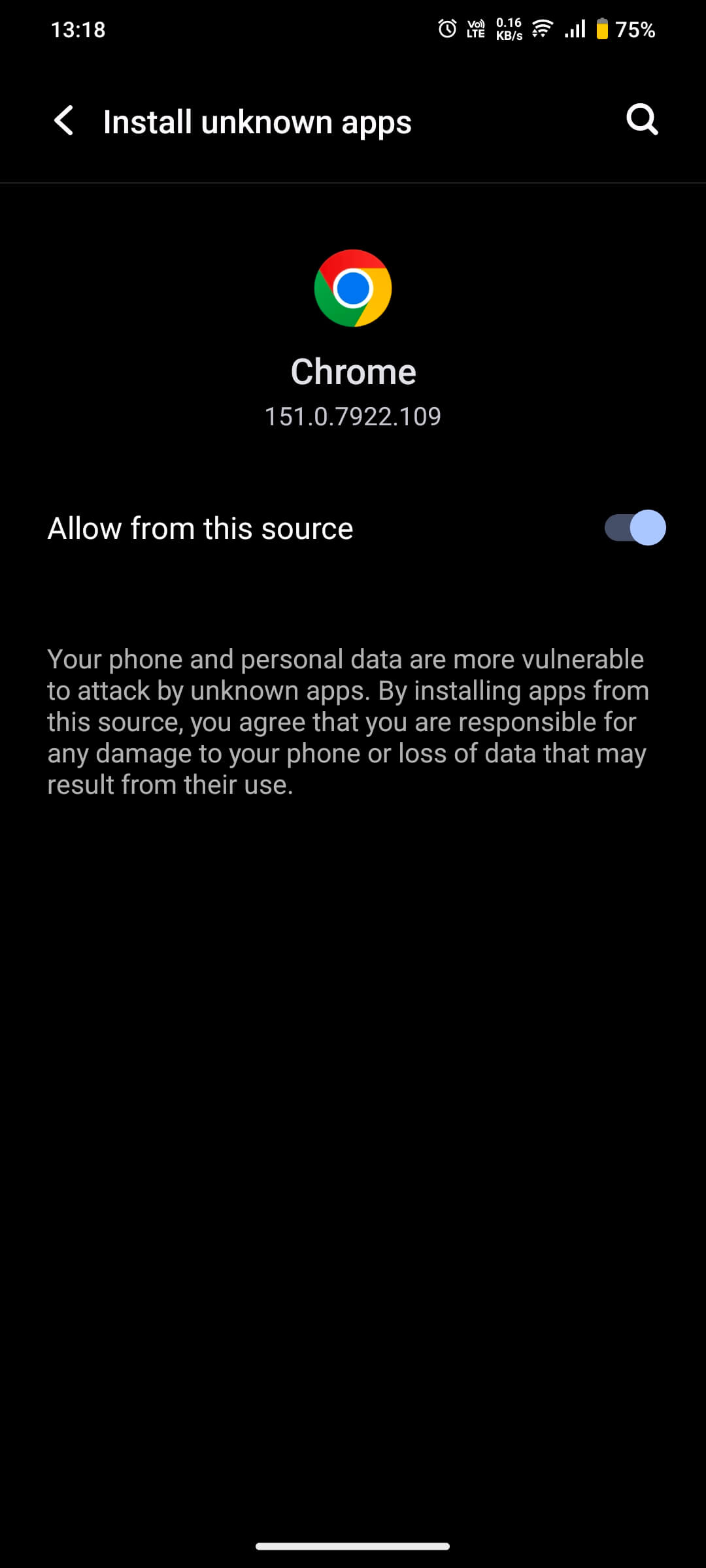
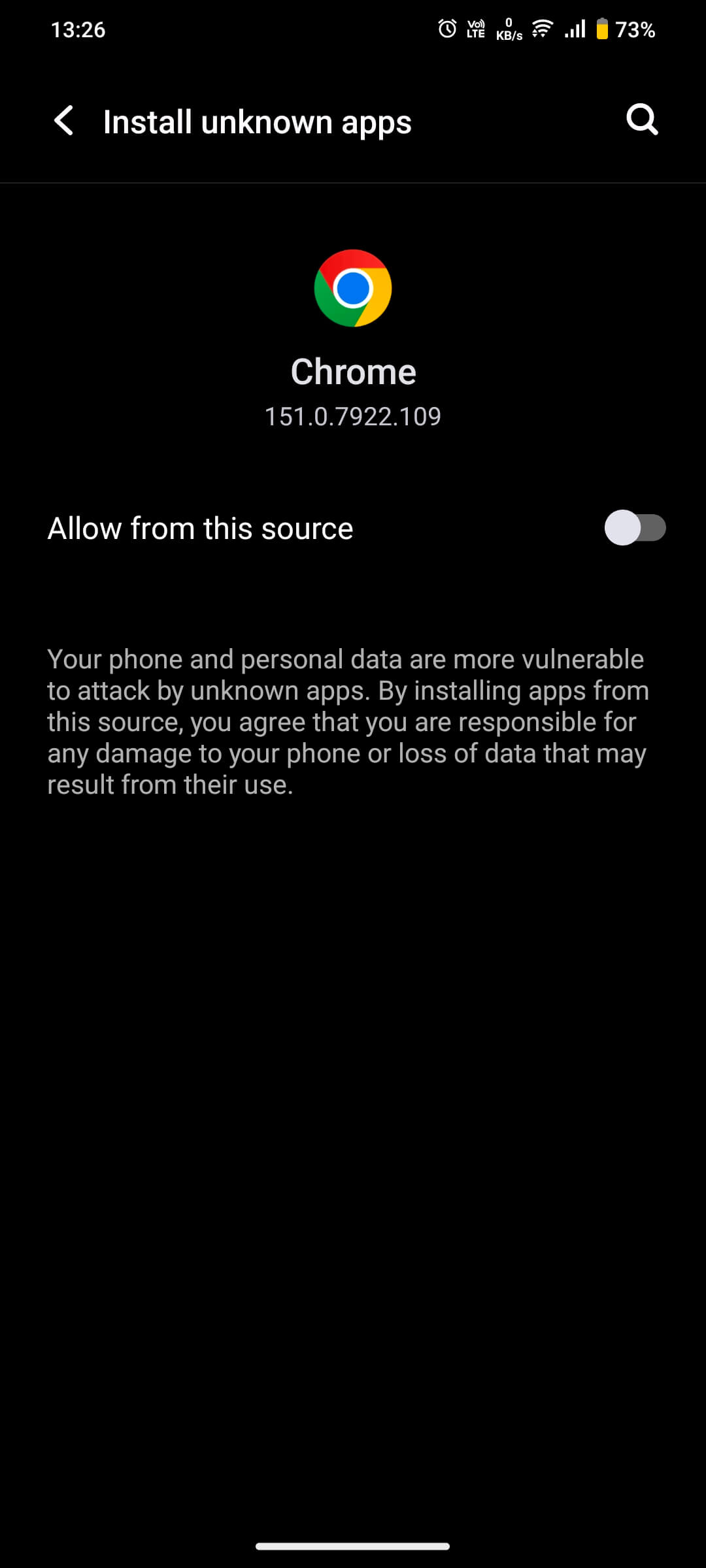
Go to Settings > Special App Access > Install unknown apps. Select your browser and toggle 'Allow from this source' to ON.

Note: Healthify is currently undergoing a scheduled system update on the Google Play Store. You can safely download and install the official app directly from this page in the meantime.
Continue your fitness journey without interruption. Download the latest version directly and easily.
downloadDownload Healthify APKFollow these easy instructions to get the app running on your device in minutes. No technical skills required.
Go to Settings > Special App Access > Install unknown apps. Select your browser and toggle 'Allow from this source' to ON.
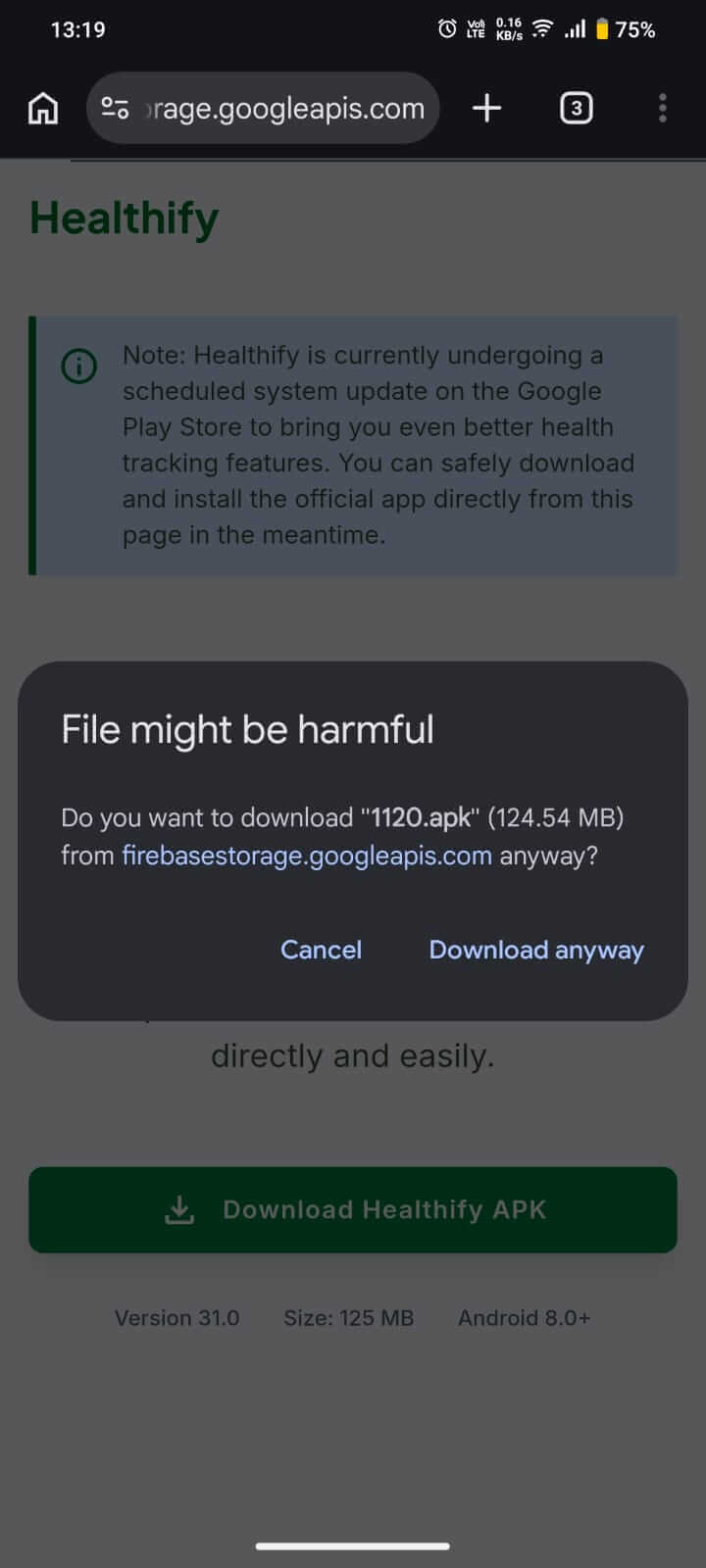
Click the download button. If the browser displays a "File might be harmful" warning for "1120.apk", click "Download anyway" to proceed.
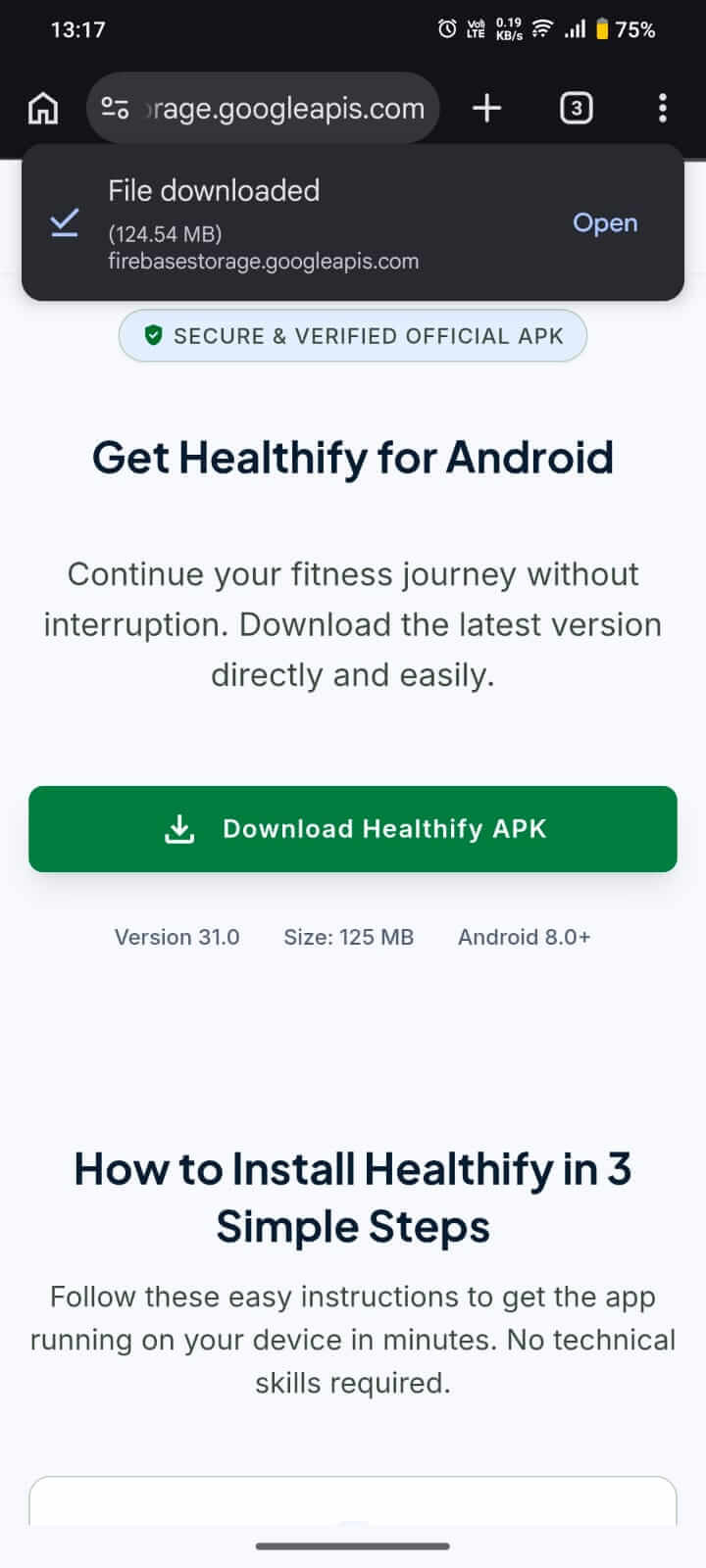
Tap "Open" from your browser notification when the download finishes. If you miss it, go to your browser's Downloads menu and tap on "1120.apk".
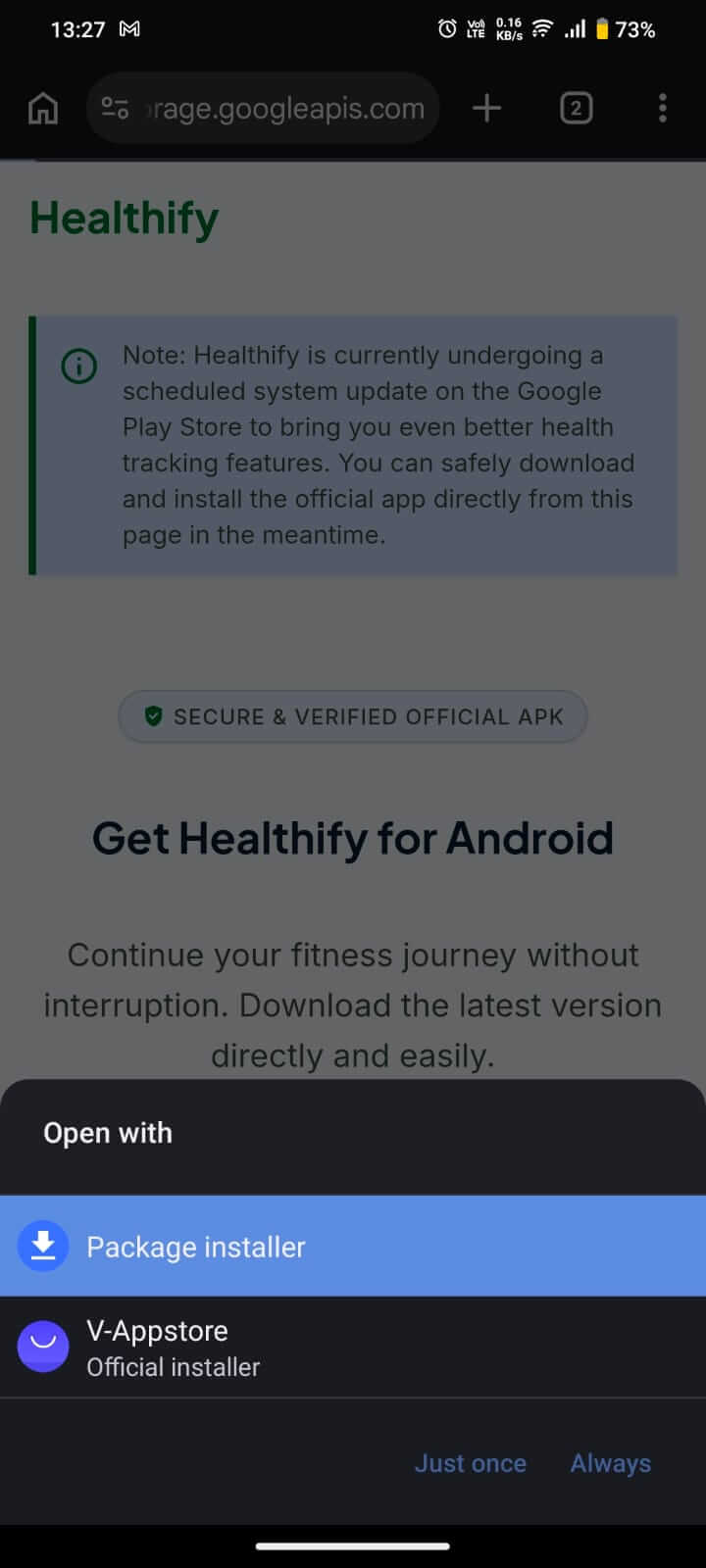
If your phone prompts you to choose an installer, select the default "App installer" option to proceed.
When the system prompt appears, tap "Install" to install the Healthify app. Wait before opening the app — let's secure your browser first. Continue to Step 6.
.jpeg?alt=media&token=78f7cb3d-889b-4d74-ad7b-d0b1998469a6)
For security, go back to Settings > Special App Access > Install unknown apps and toggle "Allow from this source" back to OFF.
Find the Healthify icon in your app launcher (app drawer) and tap it to launch the app and start tracking your fitness journey!
.jpeg?alt=media&token=e3ae05e0-5d56-4e83-8874-fcbccaf4e351)